YouTube part is part that allow YouTube videos to be placed on the homepage.. This part is really use full because of getting someone to visit your website once is a good thing, getting them to come back over and over again is the best thing. Every time someone comes back to your website, it is an opportunity to expose them to your value propositions and encourage them to take specific buying actions.. A great way to get people to regularly visit your website is to add exciting, engaging and useful videos that deliver your targeted message and provide value to viewers...
***How to added YouTube video to your home page?
Step 01
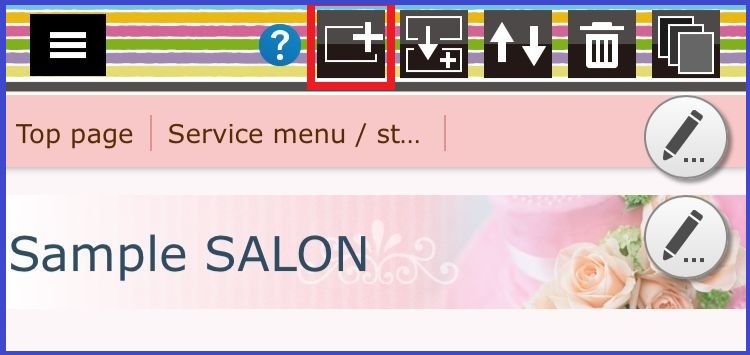
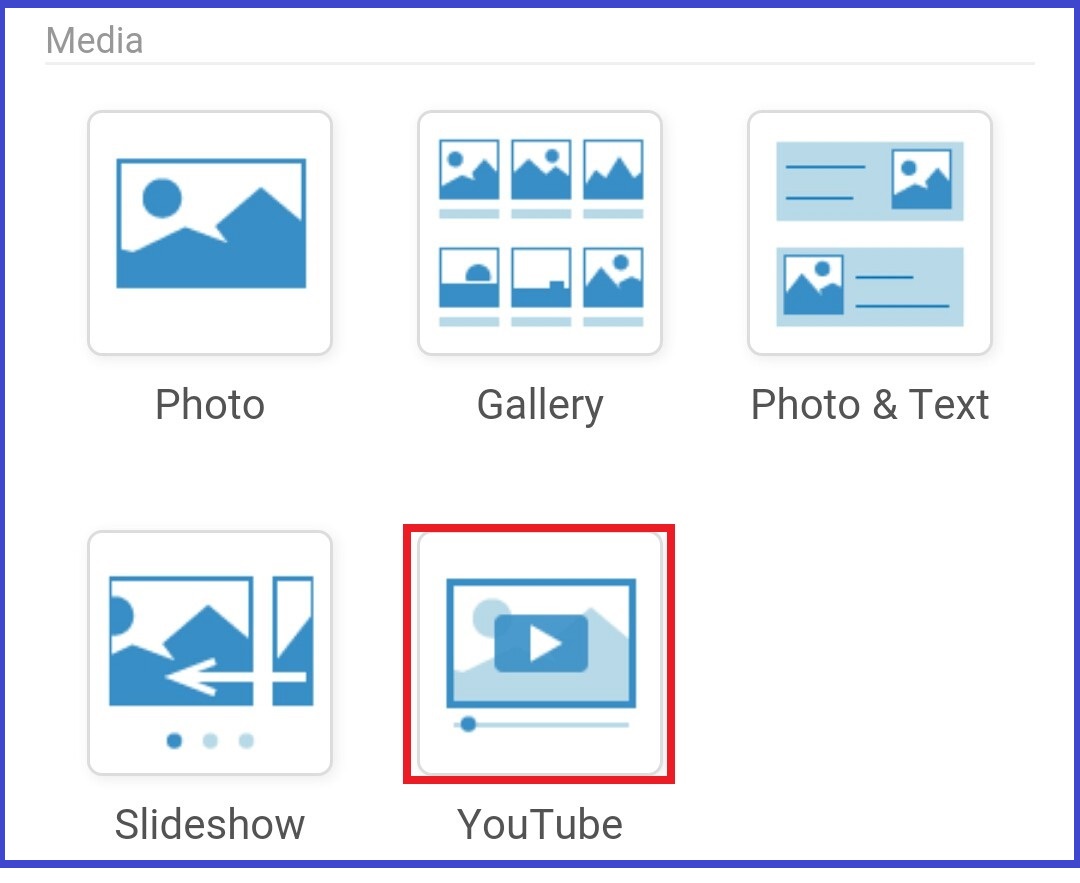
Press the add button of the top and select the YouTube part in the parts selection screen..
Step 02
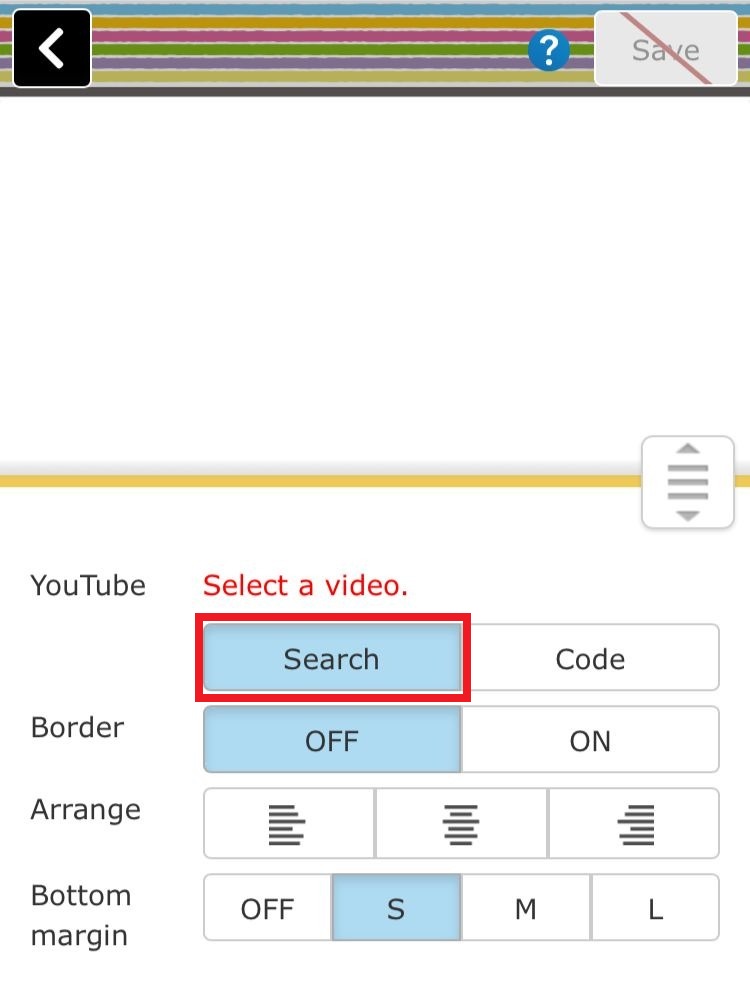
This is the place you search your YouTube video.. Click on the search button here...
Step 03
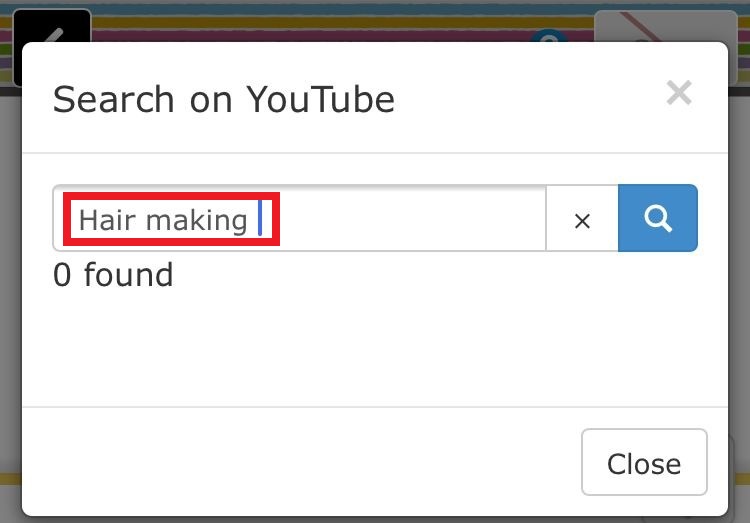
In this step you can search your applicable YouTube video in the search box.. Here i searched as Srilankan cricket for example..
Step 04
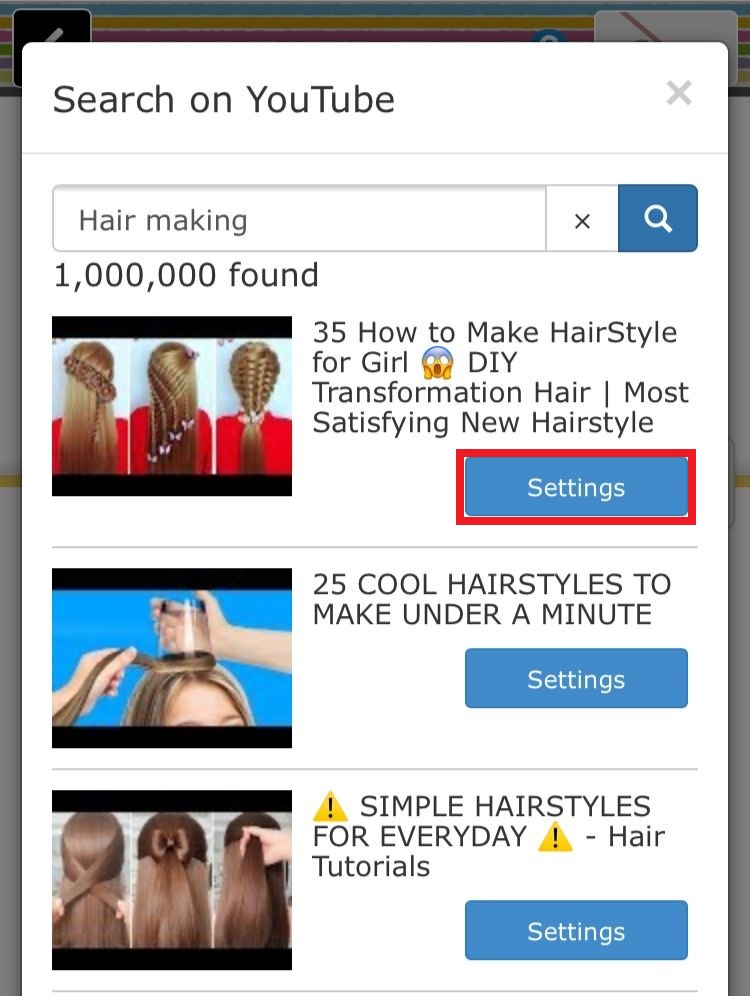
Then we have a search results of our theme.. Click on the setting button of your selected video..
Step 05
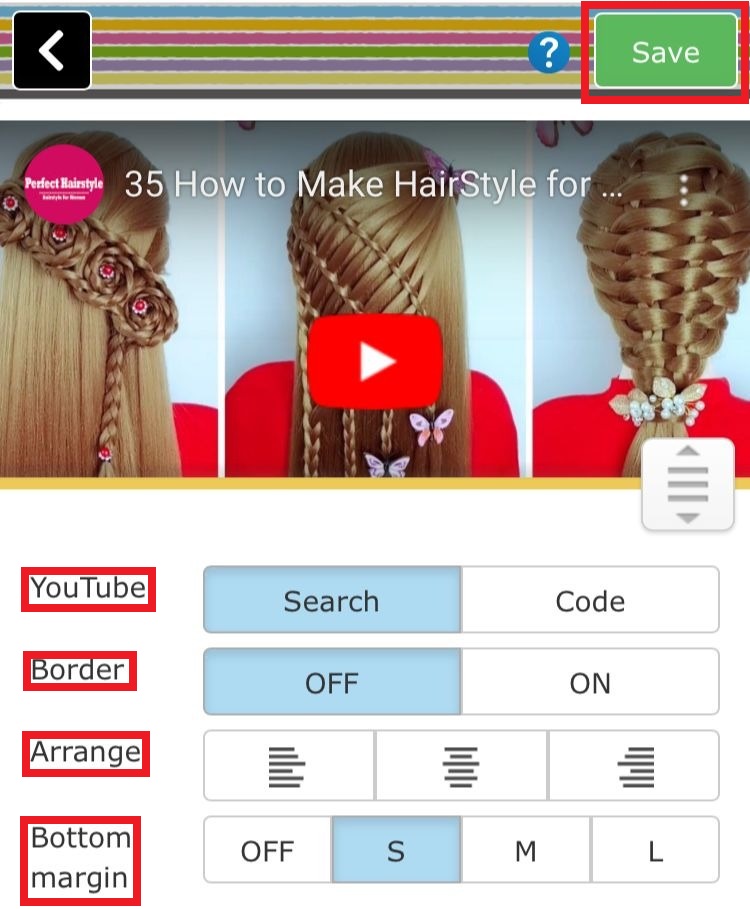
Here you have a setting screen of video.. In this step you can set the border , border color and bottom margin for the video.. After the all the settings completed click on the save button of the top..
Step 06
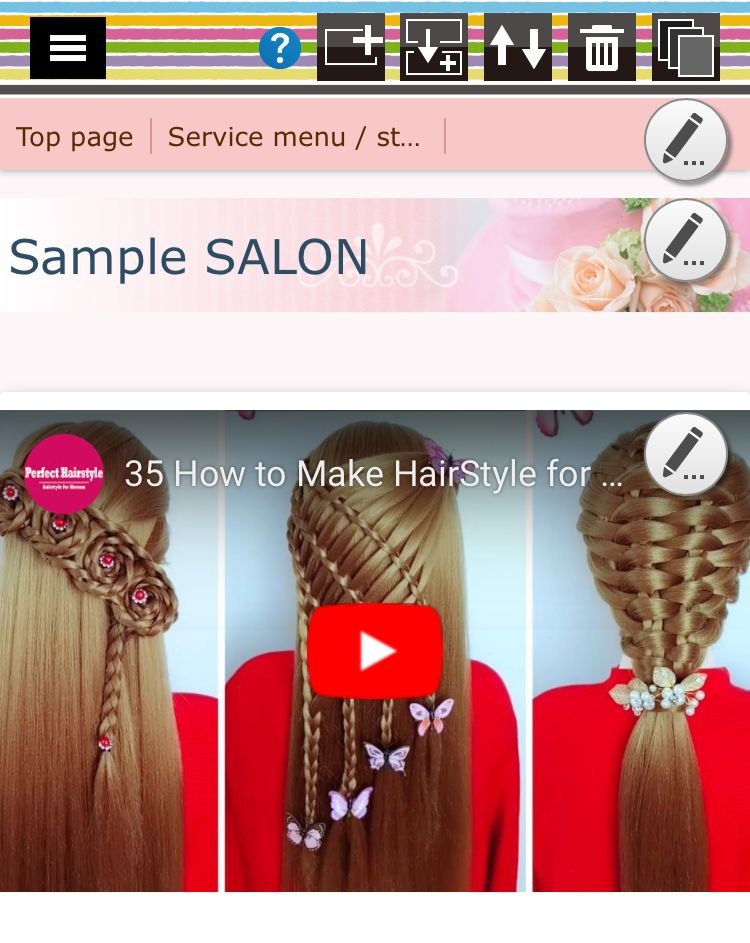
Now you can see your selected YouTube video in the homepage like this...
Also we can use another method to attach YouTube videos to our webpage using URL code.. Lets see how to do that..
Step 01
Go to your YouTube videos and select a video that you want to added.. Here i selected Sri-Lankan cricket video as a example.. Click on the "Share" button of the video...

Step 02
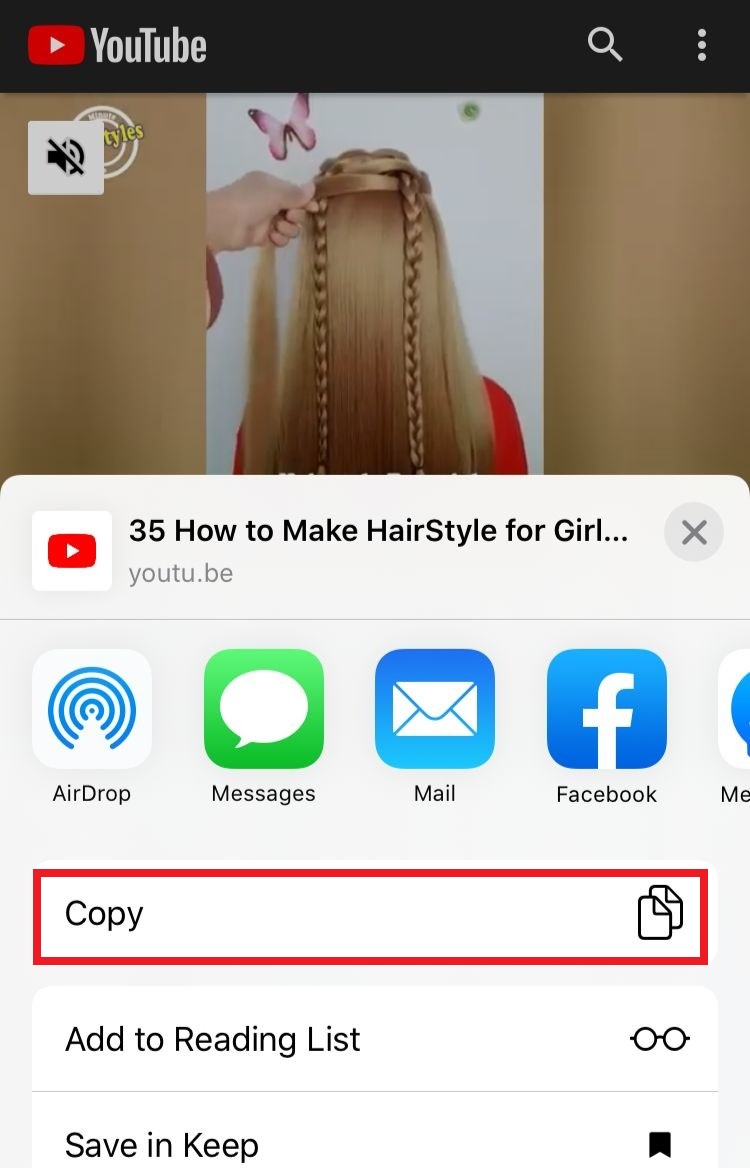
Here you can copy the link clicking on "Copy link” icon..
Step 03
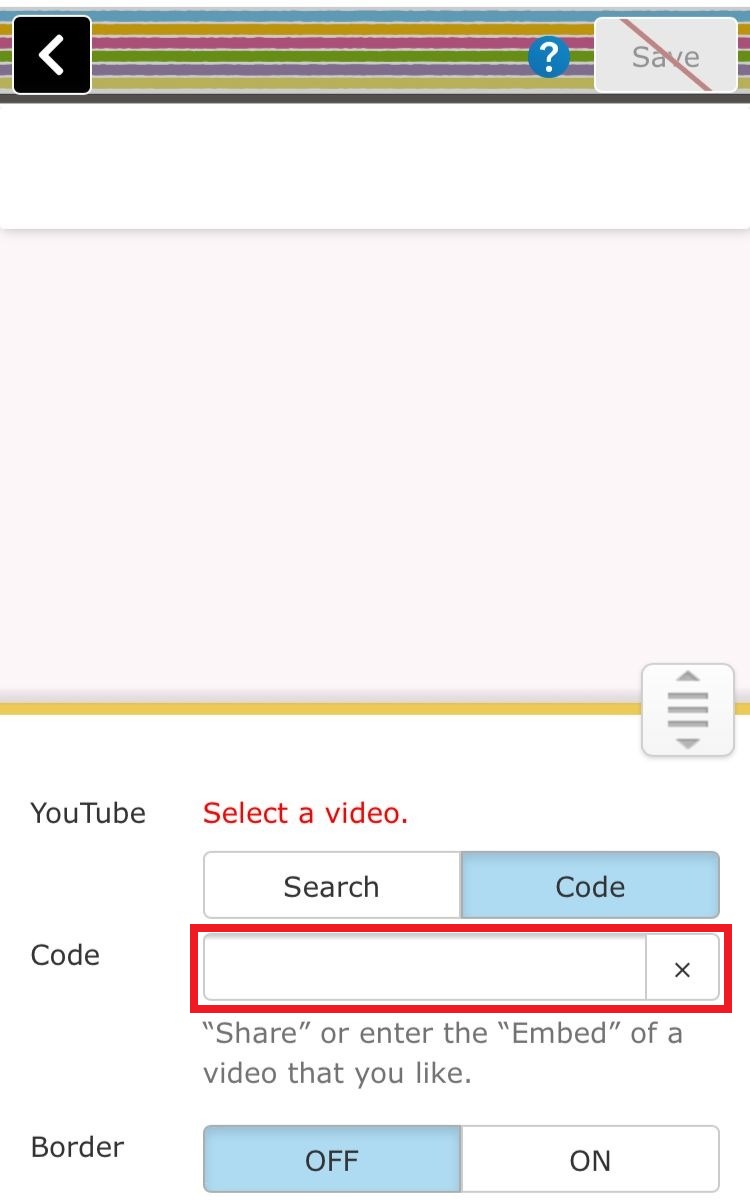
Then Back to your Crayon's YouTube part.. In this step You have to select the "Code" icon under the "Select video" of the screen and paste your copied link in the code box..
Step 04
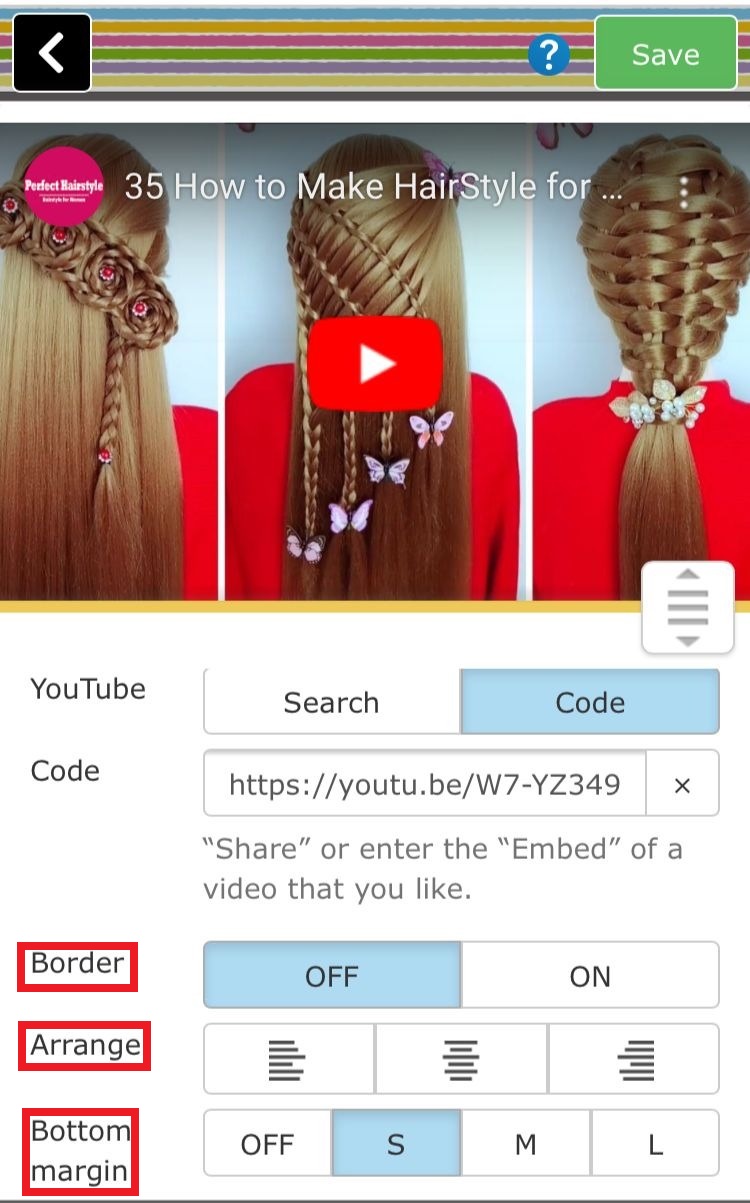
Now you can see your copied video in the screen.. Here also you can set the border , border color and bottom margin for the video.. After the all the settings completed click on the save button of the top..
Now you can see your selected YouTube video in the homepage like our previous method... You can use these both methods according to your preference..
