Press the arrow buttons (↑ ↓) on the upper right of the page edit screen for switch to the parts movement mode..
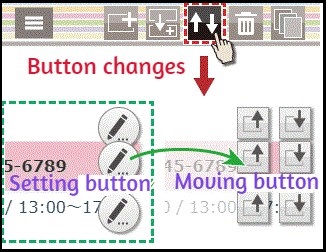
In the parts movement mode, edit mark changes to an arrow..This arrow button will change the order of the parts.Press the part moving button again, return to the original.
Let's see how to move the parts..
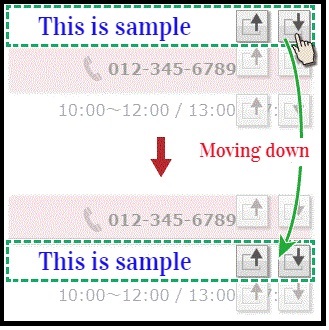
The up and down arrows (“↑” and “↓”) on the right that can change the order of the parts.Press on the down arrow (“↓”) to take a step down your part. Conversely, if you want to take the part up, press on the up arrow (“↑”).
