This is the icon that you can set a password to your pages.. A password is a word or string of characters used for user to prove identity or access approval to gain access to a resource which is to be kept secret from those not allowed access.. Your home page is shadow of your business.. So it is very important to create a password for your homepage access to increase the security level of it...
*** How to create a password ?
Step 01
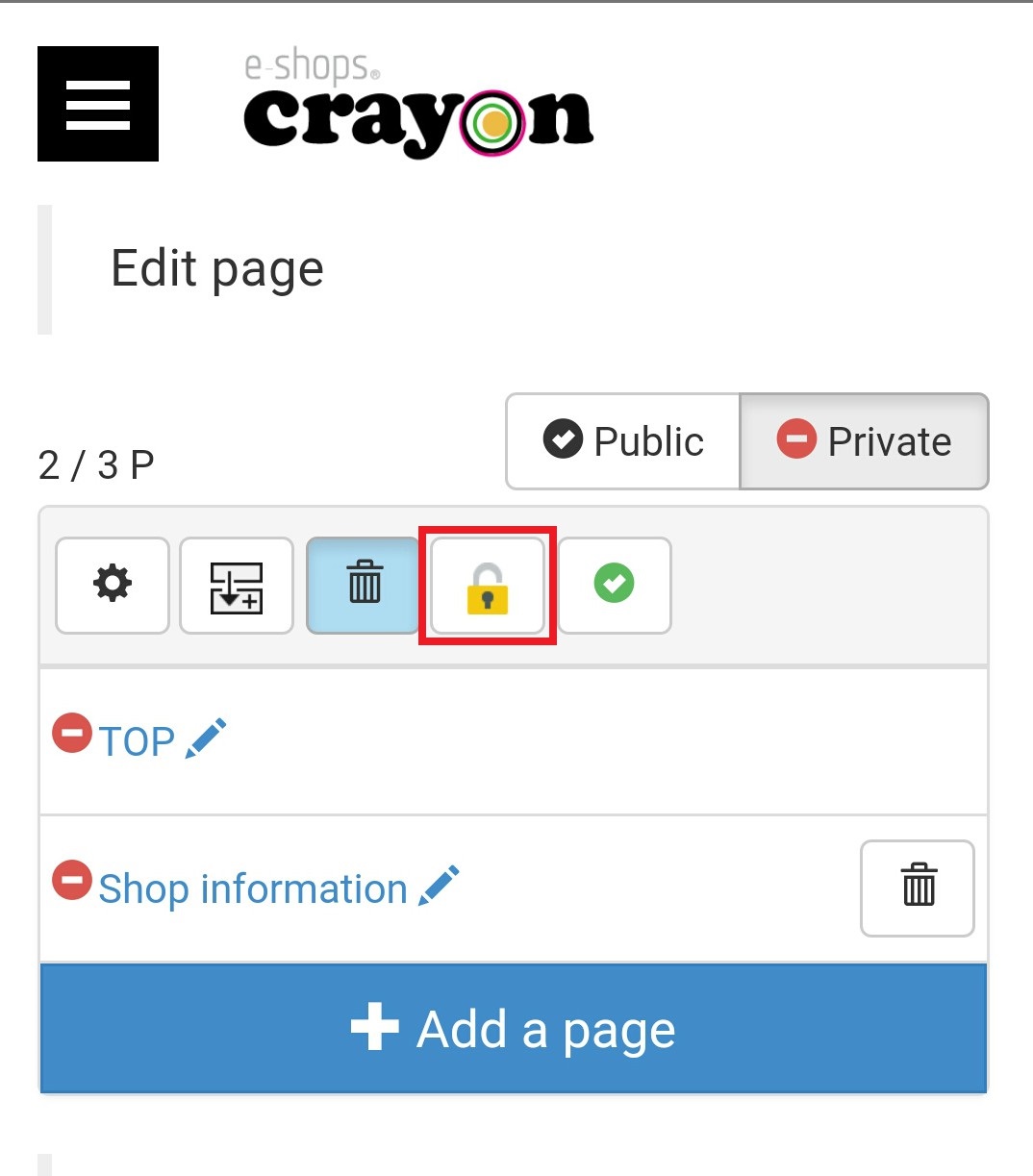
Click on the "lock" icon of page edit screen..
Step 02
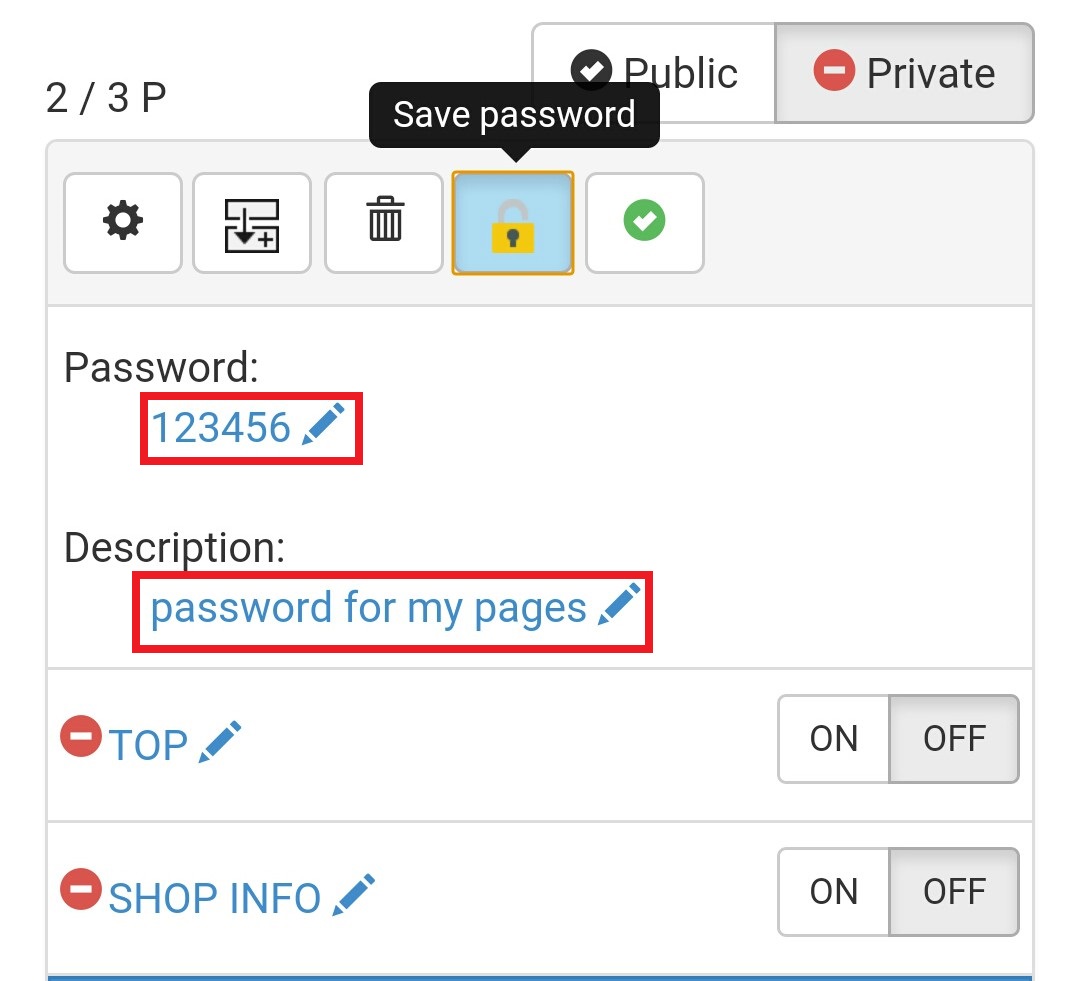
Here You can set your password and add a description for it.. Click on the password editing point..
Step 03
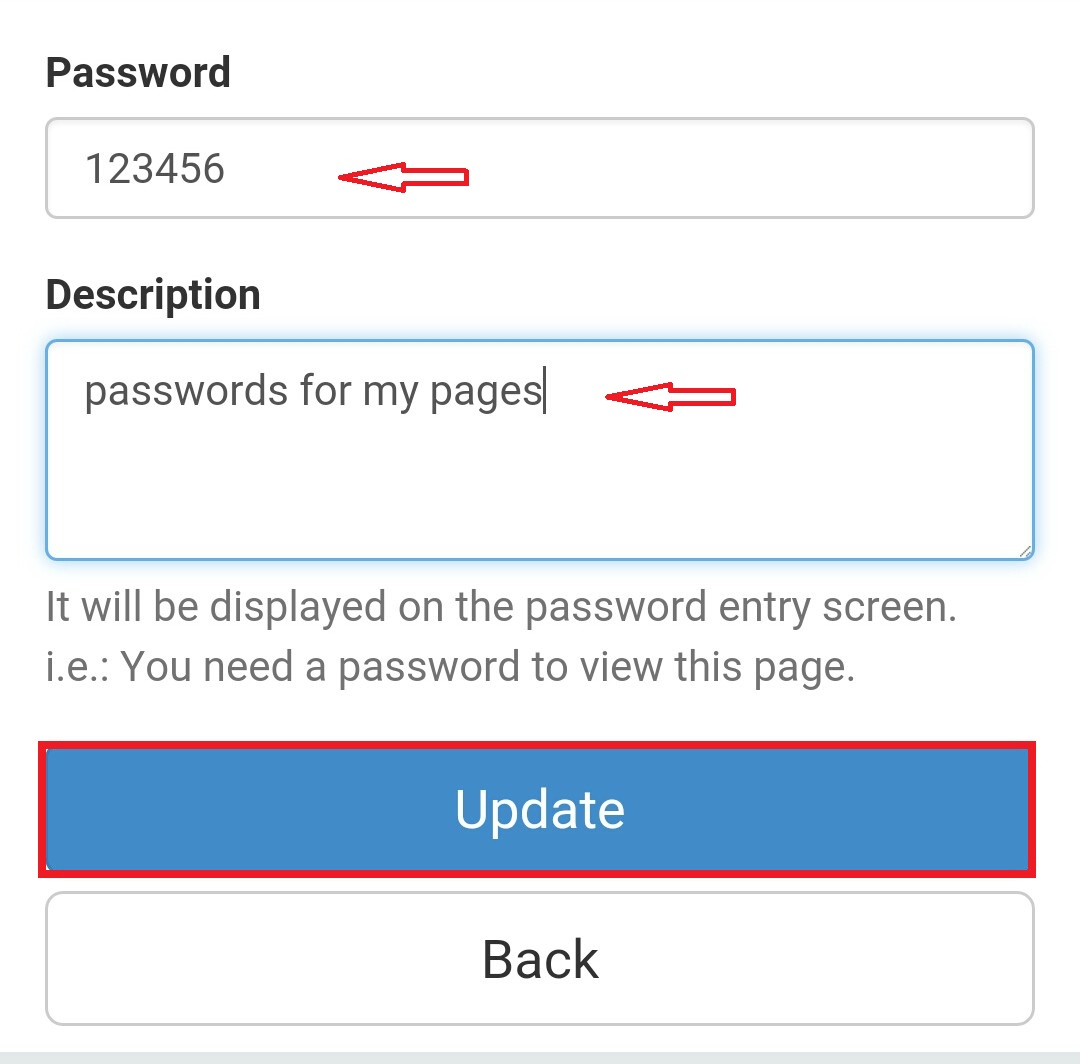
In the password column You can write your password.. Description will be displayed on the password entry screen.. Then click on the update button..
Step 04
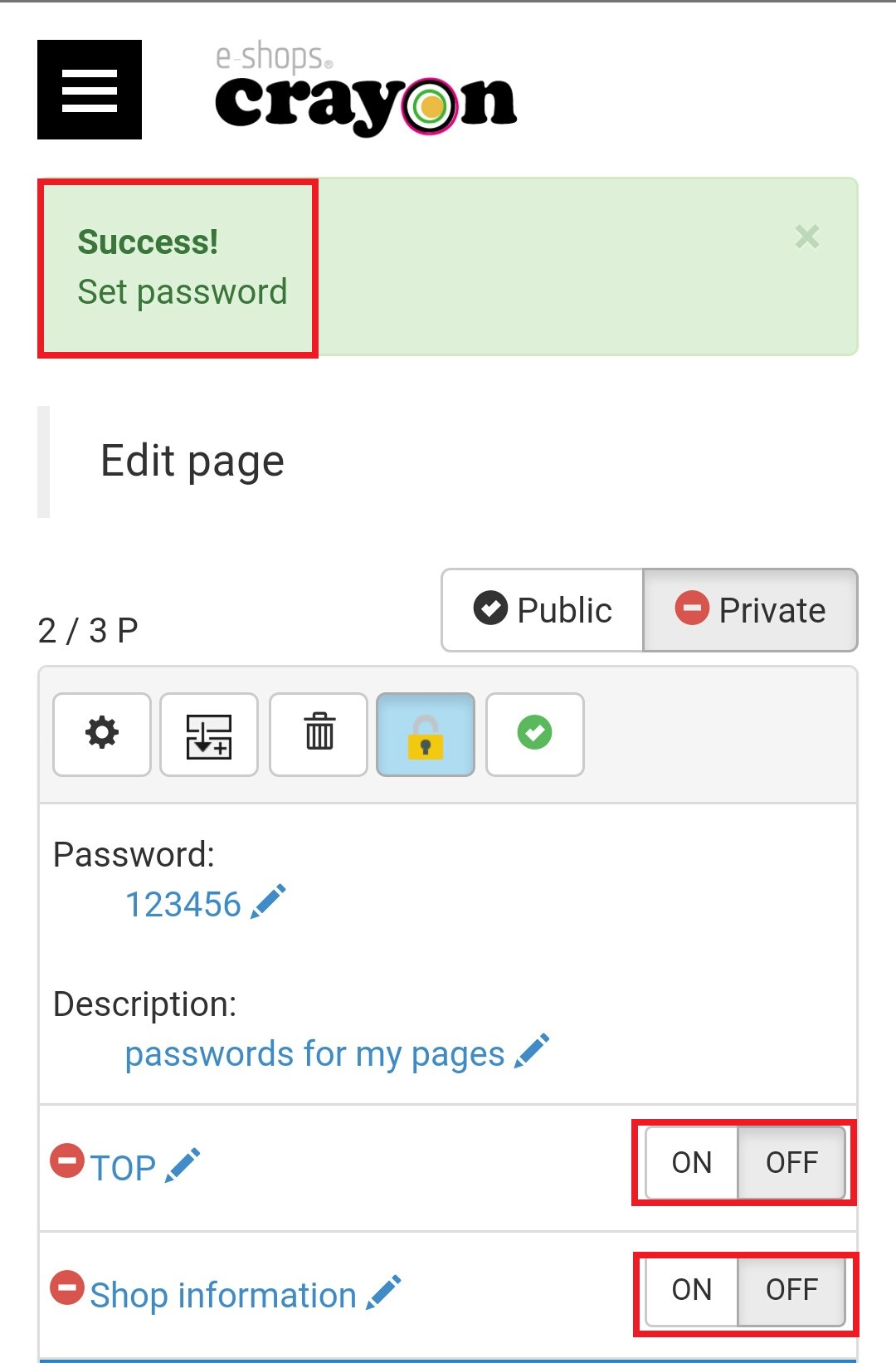
Now you have screen a with a message saying "Success set password".. Here you can see your password and description.. In the right hand corner of the pages the button is appearing called ON/OFF.. Select the ON button there... If you want select your password for one page select a "ON" button for only that page..
Step 05
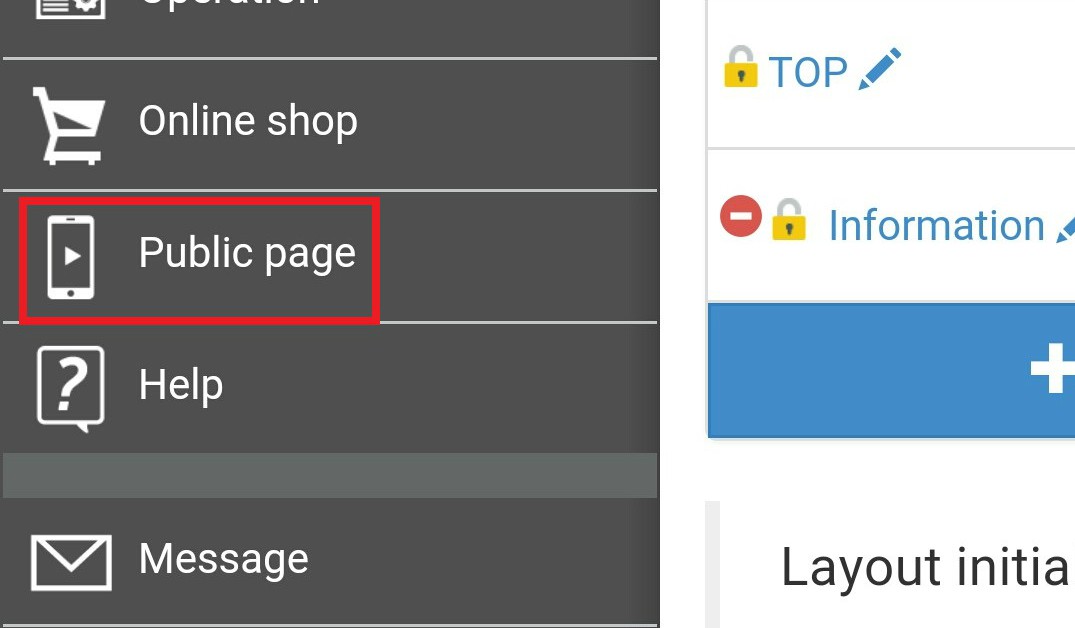
Now you can go to your public page and see whether your password is running..
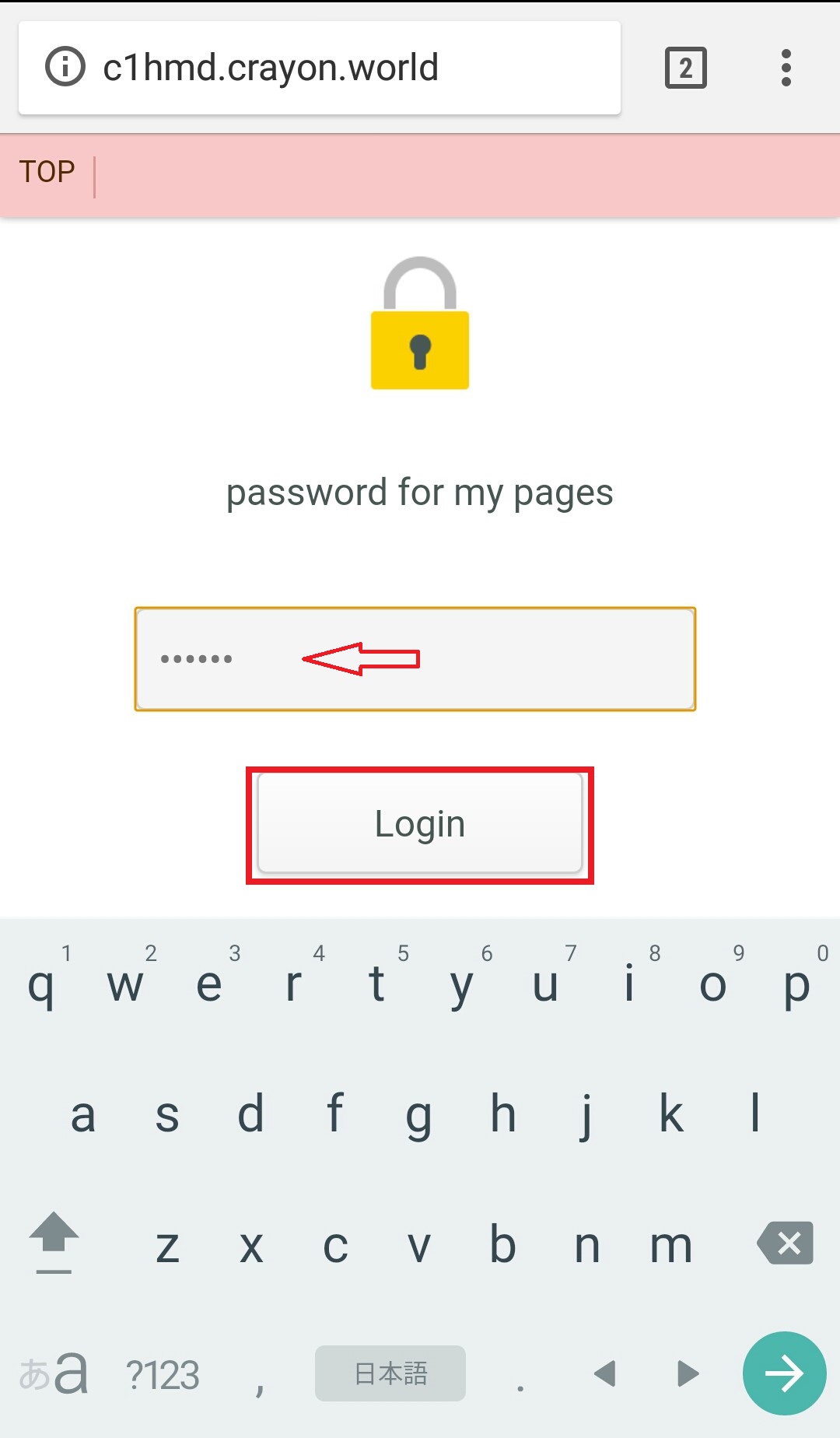
Here you have a login screen for your page.. Enter the password and click on the login button for the access your page..
