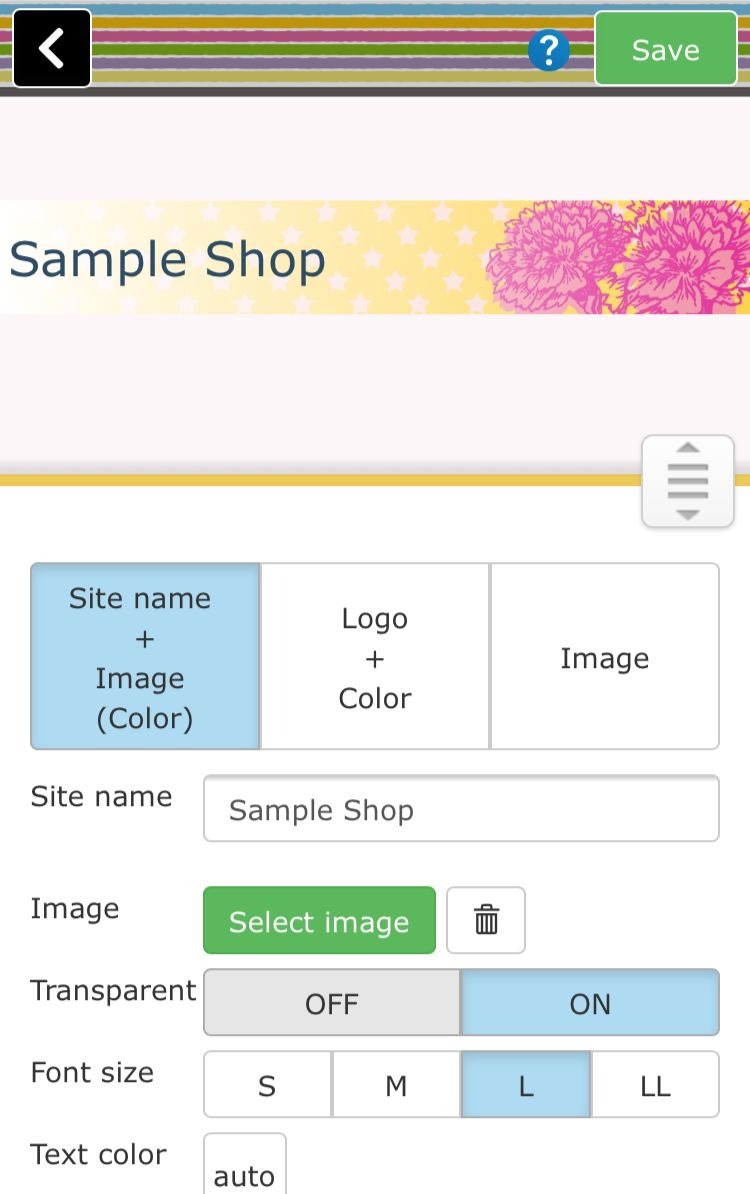
Approximately 900 kinds of header images are prepared in the shared library..You can choose the images that fit on your requirement... We prepare various images according to "category" and "color".. So we are sure that you can find the images fit to your requirement..With respect to images of shared libraries, the number of registered images are in the library , so you can use it free..
**Procedure of using header background images**
Step 01
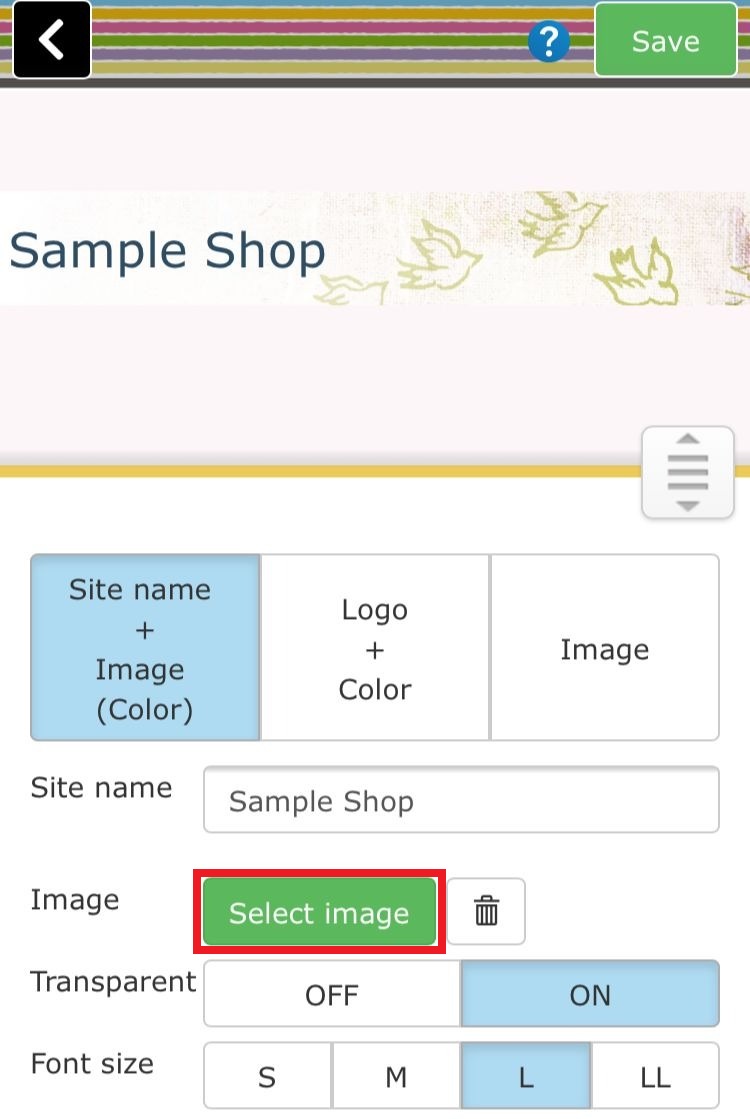
Click the "image selection" button in the part setting..
Step 02
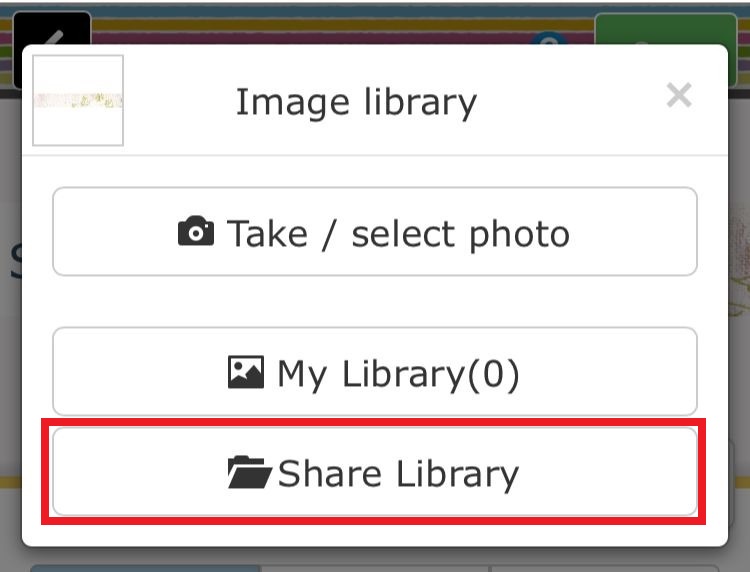
The "Image library" menu will be displayed, then click on "share library"
Step 03
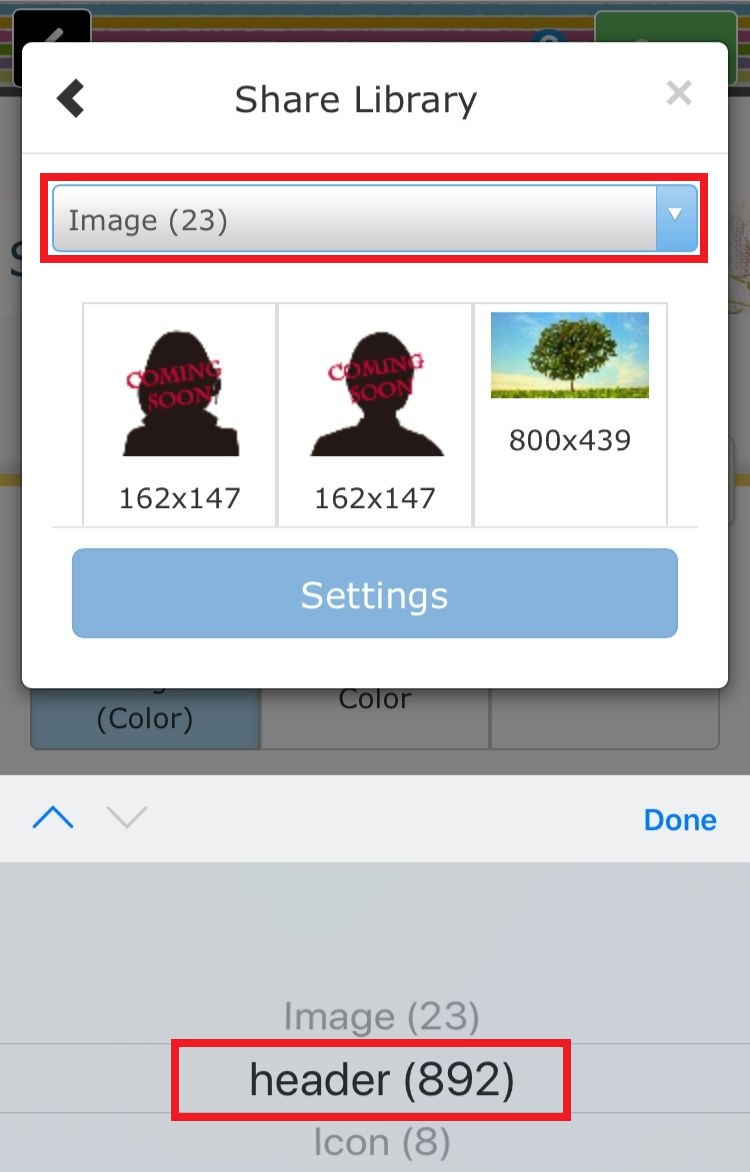
Select "Header background image" from categories of share library...
Step 04
Select the desired pattern from the registered images
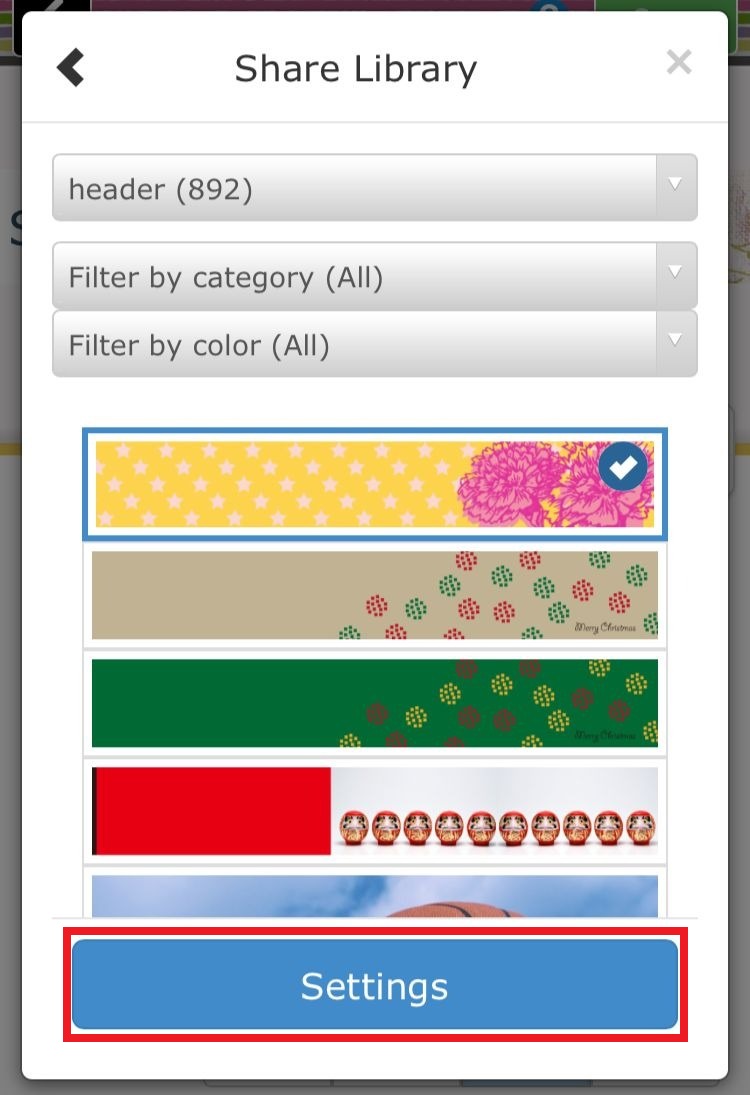
Step 05
Click the setting button to switch the image and click on the "Save" icon to finish the editing..