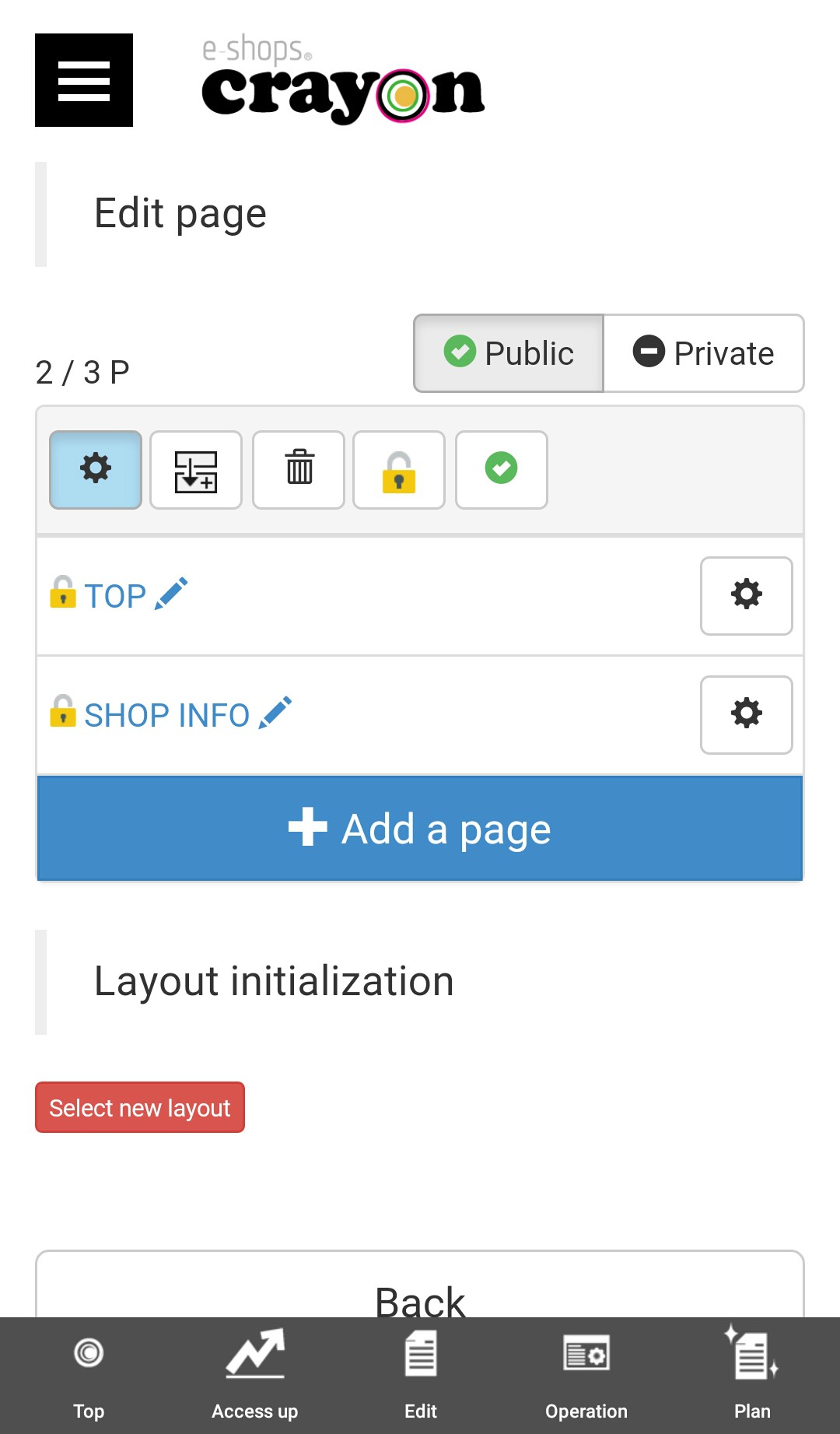
For deletion of "page", delete processing is done from "page selection"..
Notes
* It is not possible to delete the top page..
* From deleted pages, data can not be restored.
(Please note that data can not be recovered even if it is inadvertently deleted)
**procedure of "page deletion"**
Step 01
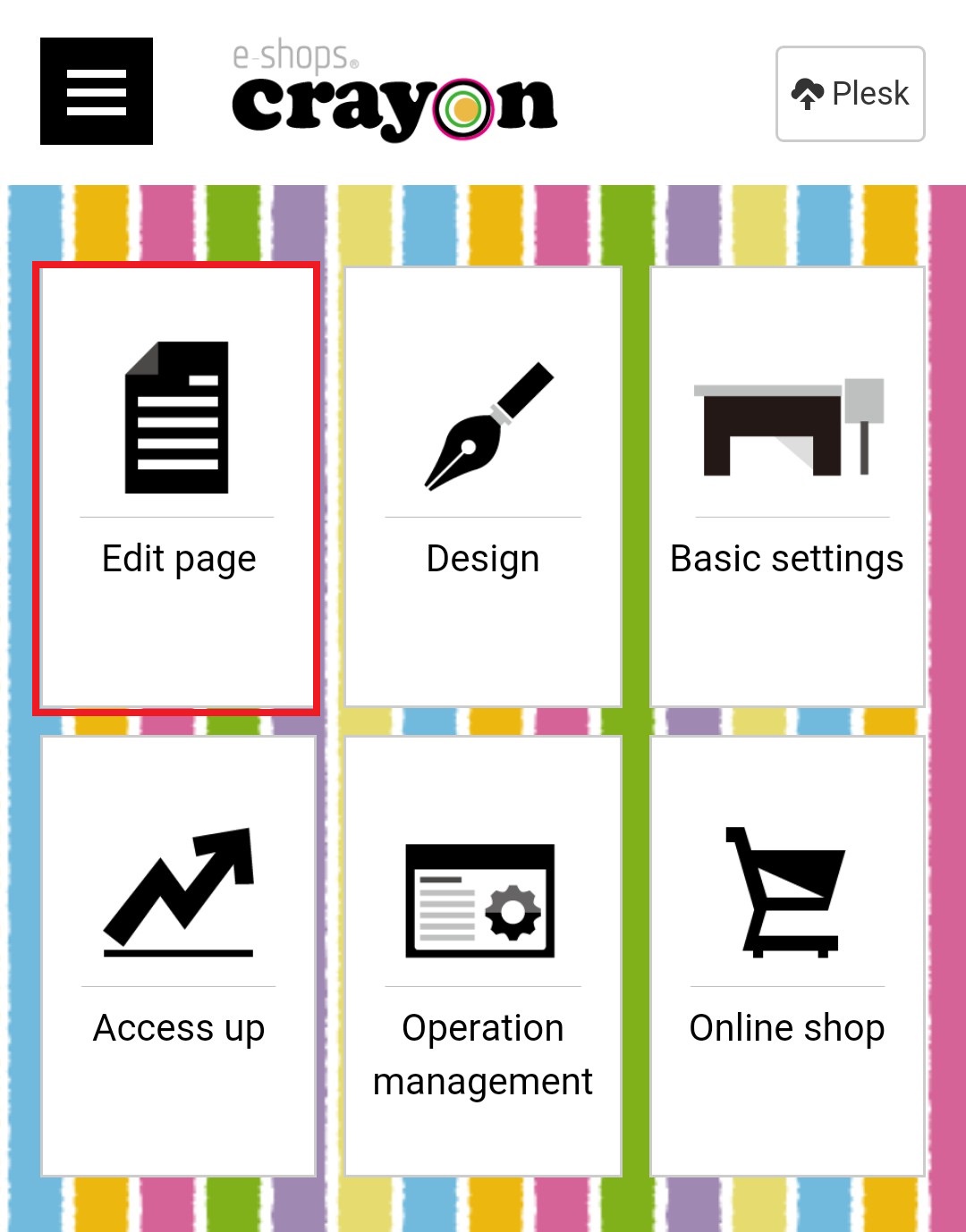
Click "Edit Page" on the e-shops crayon management screen..
Step 02
When "Page Selection" is displayed, click on the delete icone of the settings...
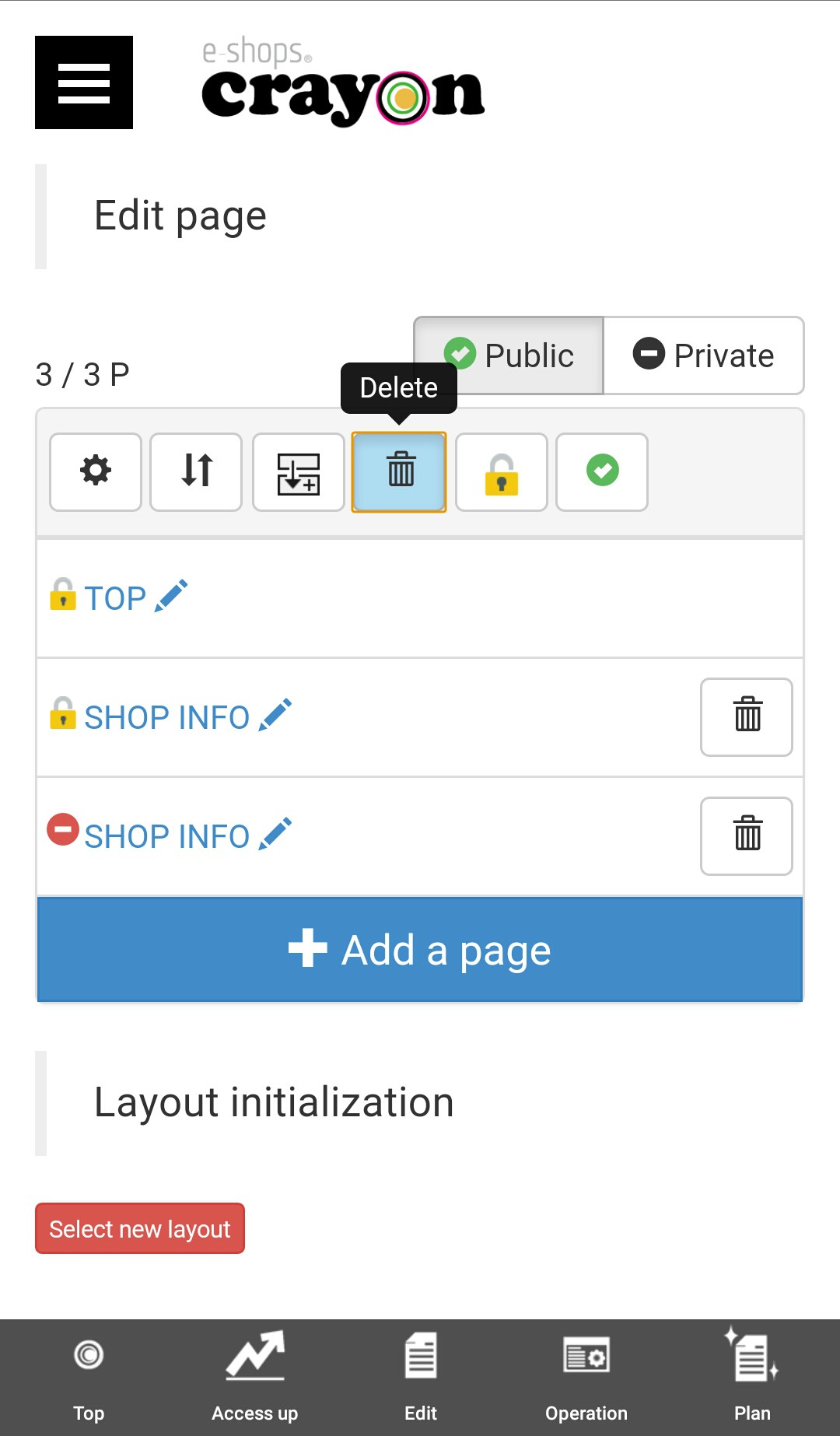
("Top page" can not be deleted)
Step 03
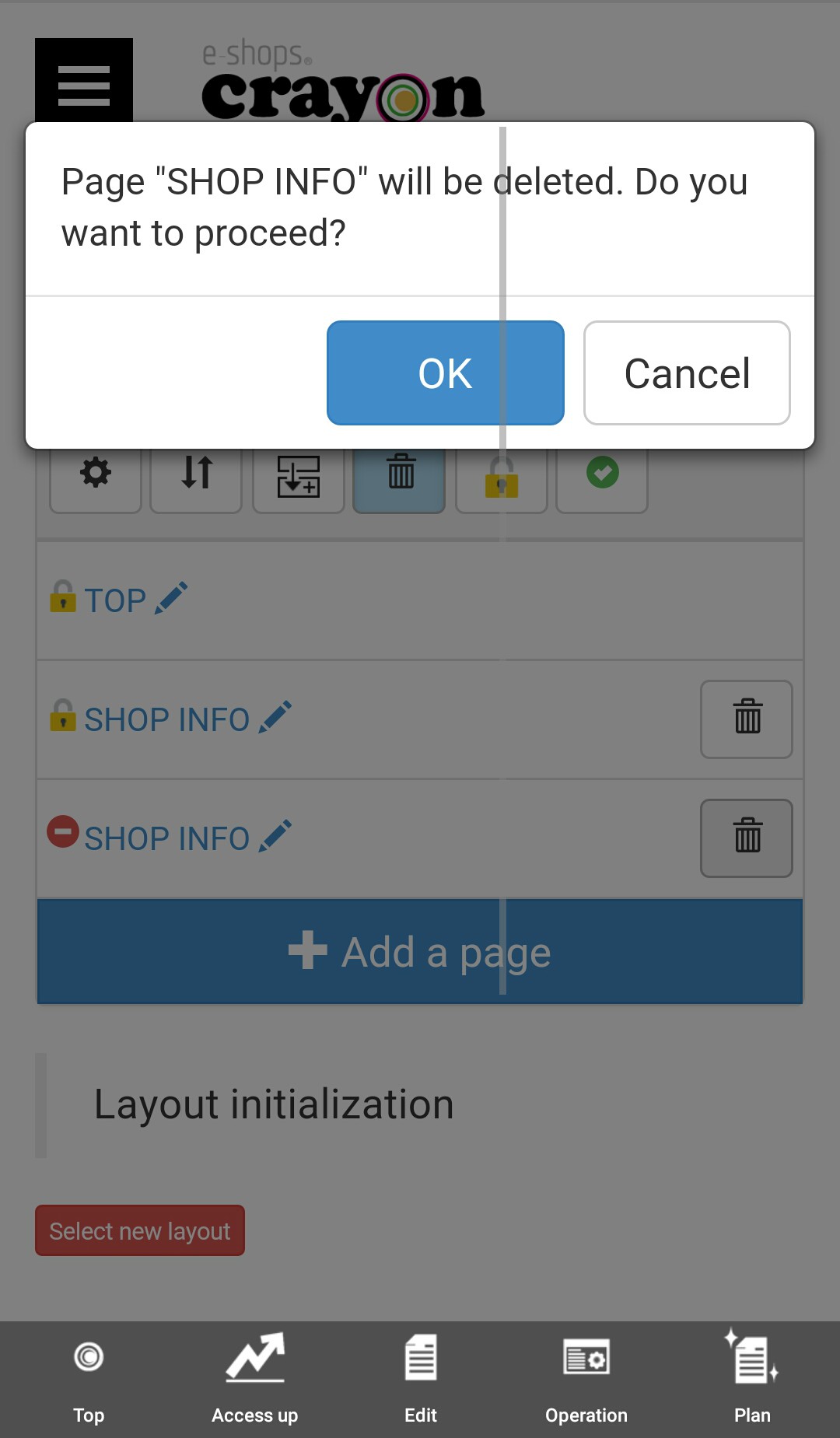
Here you have confirmation message for delete the page you selected.. Click "Ok" here..
Step 04
When the process is completed the selected page is disappears.